Traveling independently — without a guided tour handling logistics for you — means you’re the one figuring out how to get from the train station to the hotel, what the exchange rate actually works out to, and whether that restaurant is open on a Tuesday. It sounds like a lot until you realize how much of it can be handled by a phone that already fits in your pocket. The right set of apps doesn’t replace the judgment and curiosity that make independent travel rewarding, but it removes a lot of the friction that used to require a guidebook, a phrasebook, and a fair amount of luck. This guide walks through the categories of apps worth having before you go, organized around the problems they solve rather than a ranked list of winners.
Why the Right App Toolkit Matters for Independent Travel
Group tours build logistics into the price — transport is arranged, a guide handles translation and local knowledge, and someone else has already mapped the day. Independent travel trades that built-in support for flexibility: you choose the pace, the detours, and the depth of each stop. The trade-off is that you also take on the logistics yourself.
That’s where a thoughtful app toolkit earns its place. Handled well, these tools free up mental energy for the parts of travel that actually matter — noticing a neighborhood, striking up a conversation, deciding to stay an extra hour somewhere you didn’t expect to love — rather than spending it on wayfinding and currency math.
The Core Categories Worth Covering
1. Offline maps and navigation
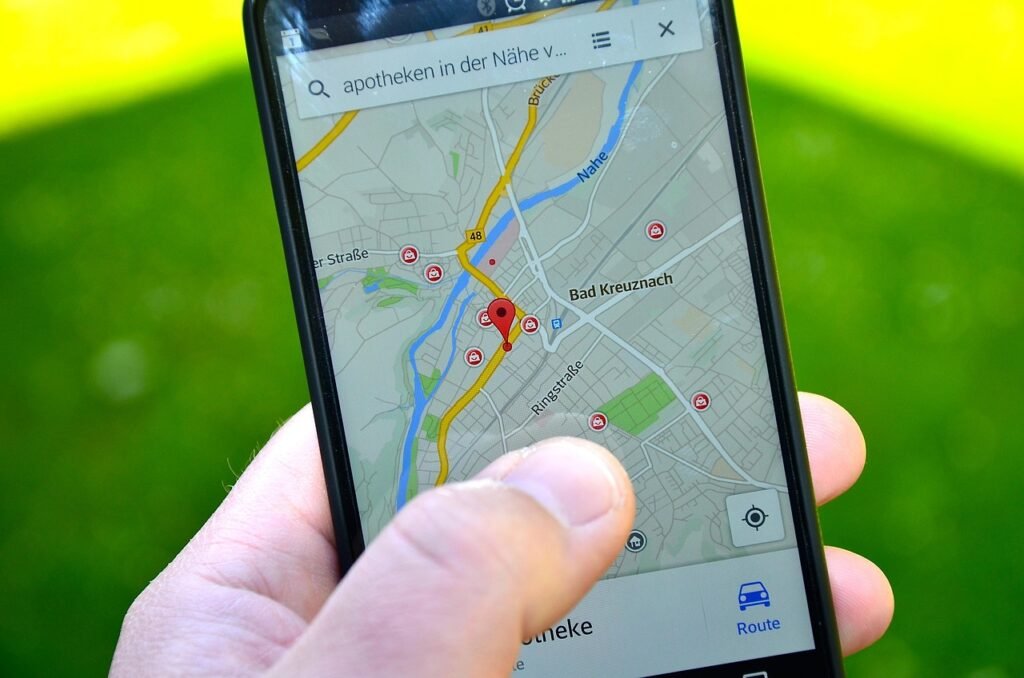
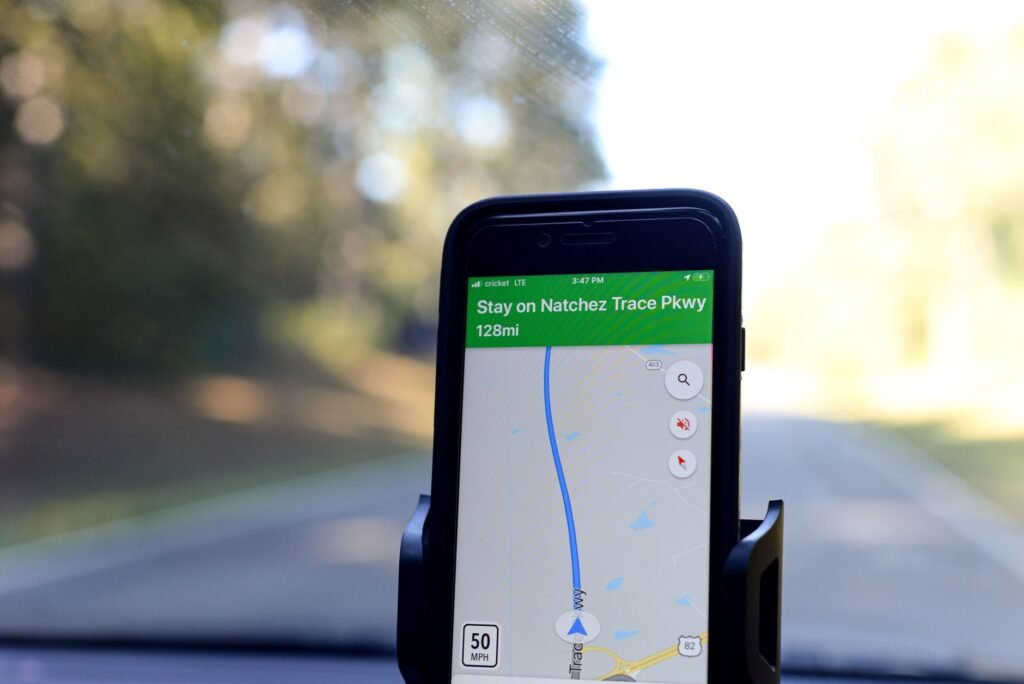
A reliable offline map is arguably the single most useful app category for independent travel, because it works even without cellular data or in areas with unreliable connectivity. Apps like Google Maps offer offline map downloads for specific regions, letting you navigate, search addresses, and get walking directions without burning through data or roaming charges. Dedicated offline mapping apps also exist that specialize in detailed hiking trails or areas with limited commercial mapping.
When choosing, consider what you actually need: turn-by-turn driving directions, detailed walking routes in a historic city center, or trail-level detail for hiking. Not every app handles all three equally well.
2. Multi-modal transport and routing
Beyond point-to-point navigation, independent travelers often need to compare transport options between cities or regions — train versus bus versus flight, for instance. Apps like Rome2Rio aggregate these comparisons, showing rough transit times and modes across a route, which is useful for early-stage planning even if you book the actual ticket elsewhere.
For travel within a specific country or region, local transit apps (national rail apps, city transit apps) are often more accurate and up to date than a general aggregator, and it’s worth checking whether your destination has one before you go.
3. Currency conversion
Doing exchange rate math in your head while standing at a market stall is a recipe for either overpaying or underpaying awkwardly. Apps like XE Currency provide live or recently updated exchange rates and let you do quick conversions, often available offline once rates are cached. This is a small tool, but a genuinely practical one for daily spending decisions abroad.
4. Translation
Real-time translation apps have become considerably more capable, handling text, spoken conversation, and even camera-based translation of signs and menus. For independent travelers heading somewhere without much English signage, a translation app with an offline language pack downloaded in advance can solve a surprising number of small daily friction points — reading a menu, understanding a transit sign, or having a basic exchange with a shopkeeper.
5. Itinerary and document organization
Independent trips generate a lot of loose ends — flight confirmations, hotel bookings, train tickets, rental car details. Itinerary organizer apps can consolidate these (often by forwarding confirmation emails to the app, which parses the details automatically) into a single day-by-day view. This matters more on independent trips than group tours, since there’s no tour operator holding the master itinerary for you.
6. Local discovery and reviews
Apps and platforms for finding restaurants, sights, and local recommendations help fill the role a guide or fellow traveler might otherwise play — surfacing what’s actually worth a detour versus what’s simply well-marketed. Cross-referencing more than one source (rather than relying on a single app’s rankings) tends to produce a more balanced picture, since different platforms attract different reviewer bases.
7. Accommodation and booking management
Whether you book directly with properties or through a booking platform, having a single app where confirmations, check-in details, and host or property contact information live can save real time and stress, particularly on trips with several accommodation changes.
8. Connectivity and eSIM management
Many independent travelers now rely on eSIM apps to purchase and activate mobile data plans for a specific country or region before arrival, avoiding the need to find a physical SIM card vendor on day one. This has become a meaningfully easier way to stay connected across a multi-country trip compared to swapping physical SIM cards at each border.
Safety and Emergency-Related Apps
Independent travelers don’t have a tour leader on hand if something goes wrong, which makes a small category of safety-oriented apps worth including even if you never end up needing them. Government travel advisory apps or registration services — many countries offer a free service where citizens can register their trip with their embassy — can be useful for receiving safety alerts specific to your destination and for making it easier for officials to reach you in an emergency.
Weather and alert apps that push notifications for severe weather, natural hazards, or regional safety warnings are worth having active, particularly for itineraries that include remote areas, coastal regions prone to storms, or destinations with a history of seismic activity. Offline-capable first aid reference apps are another low-effort addition, useful for remote stretches of a trip where medical help might be a genuine distance away.
It’s also worth having your travel insurance provider’s emergency contact information saved directly in your phone (and written down as backup), since a moment of genuine emergency is not the time to be searching for a policy number buried in an email.
Data Privacy Considerations When Traveling
Independent travelers often rely on public Wi-Fi more than home users do — in cafes, hotels, and transit hubs — which raises the general importance of basic digital hygiene while abroad. Avoiding sensitive tasks like banking on unsecured public networks, keeping apps and operating systems updated before departure, and being thoughtful about which apps you grant location access to are all reasonable precautions, independent of any specific app choice.
Some travelers also use a VPN app while abroad, both for security on public networks and, in some cases, to maintain access to services that behave differently across regions. Whether this is necessary depends on your destination, your risk tolerance, and how you plan to use your devices — it’s worth a bit of research specific to your itinerary rather than a blanket recommendation.
A Framework for Building Your Own Toolkit
Rather than downloading every app mentioned above, it helps to think through what your specific trip actually requires:
- How connected will you be? If your route includes remote areas or countries where data is expensive or unreliable, prioritize apps with strong offline functionality — maps, translation packs, and currency converters that cache rates.
- How many countries and languages are involved? A single-country trip may need only local transit and one translation language pack, while a multi-country trip benefits more from broader tools like a multi-modal transport aggregator.
- How much pre-planning do you want to do versus deciding as you go? Heavier planners benefit more from itinerary organizer apps; more spontaneous travelers might prioritize strong real-time tools like maps and translation instead.
- What’s your comfort level with data roaming versus eSIMs versus local SIM cards? This affects how much you’ll lean on offline app functionality versus assuming steady connectivity.
Practical Tips
- Download offline maps and translation language packs before you leave home, ideally over Wi-Fi, rather than assuming you’ll have reliable data on arrival.
- Test each app once at home before you rely on it abroad. A translation app’s camera feature or an itinerary organizer’s email-forwarding setup is much easier to troubleshoot with a stable connection and no time pressure.
- Keep a lightweight backup of key information offline — confirmation numbers, addresses, and emergency contacts saved as a note or PDF, in case an app or connection fails at an inconvenient moment.
- Don’t over-plan with apps at the expense of judgment. A highly rated restaurant on one app might be a tourist trap; cross-checking a couple of sources, or simply asking a local, often serves better than blind trust in a single ranking.
- Set up an eSIM or connectivity plan before departure if your route crosses multiple countries, so you’re not hunting for a data solution on arrival.
- Delete or archive apps you don’t end up using regularly, and keep your toolkit lean — a phone cluttered with unused travel apps is its own small source of friction.
Common Mistakes to Avoid
- Relying entirely on data connectivity without offline backups. Rural areas, border regions, and even some city subway systems have unreliable service, and an app that requires live data can leave you stranded at the worst moment.
- Downloading offline maps for the wrong region, or forgetting to download them at all. This is an easy step to skip and a common source of frustration once you’re already without signal.
- Trusting a single review app’s rankings uncritically. Popularity on one platform doesn’t always reflect quality, especially in heavily touristed areas.
- Overloading your itinerary with app-suggested stops. Discovery apps are useful for ideas, but treating every suggestion as mandatory can lead right back to an overpacked schedule.
- Not testing translation or currency apps before departure, then discovering a setup issue in a moment when you actually need the tool to work.
- Assuming every country has the same level of app support. Local transit and mapping accuracy vary considerably by region — what works flawlessly in one country may be far less reliable in another.
FAQ
Do I need a data plan for these apps to work abroad? Some functions (offline maps, cached currency rates, downloaded translation packs) work without an active data connection, but many features — live transit updates, real-time translation, booking changes — require connectivity. An eSIM or local data plan is generally worth arranging for a smoother experience.
Are travel planning apps a good substitute for a guidebook? They serve different purposes. Apps are strong for real-time, practical tasks — navigation, translation, transport comparison — while guidebooks and longer-form travel writing often provide more context and narrative depth about a place’s history and culture. Many independent travelers use both.
Is it worth paying for premium versions of travel apps? This depends on the app and how much you’ll use it. For frequent independent travelers, a premium subscription to a heavily used app (like an offline map service with expanded storage or a translation app with more languages) can be worthwhile; for occasional travelers, free tiers often cover the essentials.
How many apps should I actually bring on a trip? There’s no fixed number, but a lean toolkit — one solid option per core category (maps, transport, currency, translation, itinerary, discovery) — tends to work better than a phone full of overlapping apps you never fully learn to use.
Can these apps fully replace a tour guide’s local knowledge? Not entirely. Apps are excellent for logistics and discovery, but a knowledgeable local guide offers context, storytelling, and access that an app generally can’t replicate. Many independent travelers blend the two — self-planned logistics with the occasional local guide or walking tour for context.
What should I do if an app fails or my phone runs out of battery? Carrying a portable charger, keeping paper or offline backups of key confirmations, and having a general sense of your route as a fallback are all reasonable precautions. Apps are tools, not a replacement for basic trip preparation.
Should I use one app for everything, or several specialized ones? All-in-one travel apps exist and can simplify things, but specialized apps generally perform better within their specific category (a dedicated offline mapping app versus a general trip planner’s built-in map, for example). Most independent travelers land somewhere in the middle — a small set of specialized tools for the categories they use most, rather than either extreme.
A Note on Traveling with Others Using Different Apps
When traveling with a companion or group, it’s worth a short conversation before departure about which apps everyone will actually use, particularly for shared logistics like itinerary tracking or splitting costs. A mismatch — one traveler relying on an itinerary organizer the others never open, or bookings scattered across different people’s accounts — can undercut the whole point of using planning apps in the first place. Sharing key confirmations to a common location, even something as simple as a shared note or folder, tends to prevent the confusion that comes from assuming everyone is looking at the same information.
Where to Go From Here
Before your next independent trip, spend twenty minutes actually setting up your toolkit rather than assuming you’ll figure it out on arrival — download offline maps for your route, set up a translation language pack, and forward your confirmations into an itinerary organizer. That small bit of setup does more to smooth an independent trip than any single app on its own.
Related Travytour guides
Keep planning
- More Global Travel guides on Travytour
- Estimate your own trip cost with the Travytour budget calculator
- Browse all Travytour travel guides